
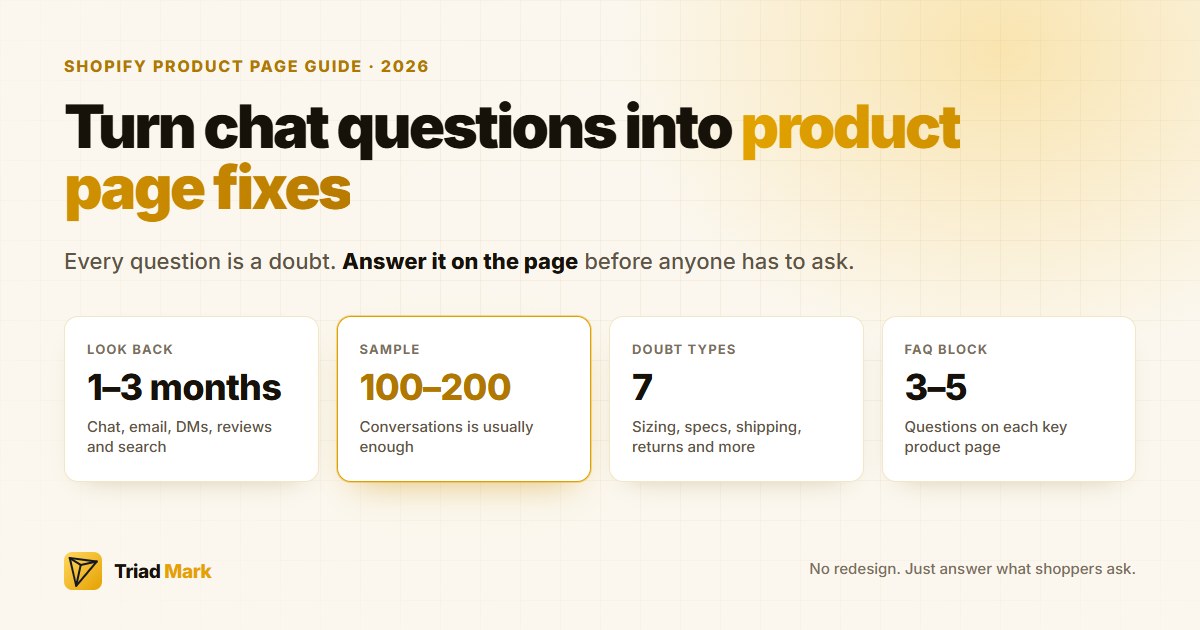
Every question your shopper types into chat is a small confession.
“I wanted to buy this, but something on the page didn’t tell me what I needed to know.”
Most Shopify merchants answer it, close the chat, and move on. The smarter move is to treat those questions as free research. They come from real shoppers, in their own words, at the exact moment they were deciding whether to buy. That makes them far more reliable than anything you can guess about from a heatmap or a gut feeling.
This guide walks you through how to collect them, sort them into the doubts that actually stop purchases, and turn them into concrete product page changes you can make this week.
Why chat questions are better research than you think
When you try to improve a product page without data, guessing takes over. You add more lifestyle photos, rewrite the description, test a new button colour. Some of that helps. Most of it doesn’t, because it’s based on assumptions rather than what shoppers actually needed in the moment.
Chat questions cut through that.
Nobody types “does this come in a size 12?” for fun. They ask because the information wasn’t obvious on the page. And every shopper who asks represents others who had the same doubt and simply left without asking anything.
That’s the core idea worth holding onto: a question in chat is rarely a one-off. It’s a signal about everyone who didn’t ask.
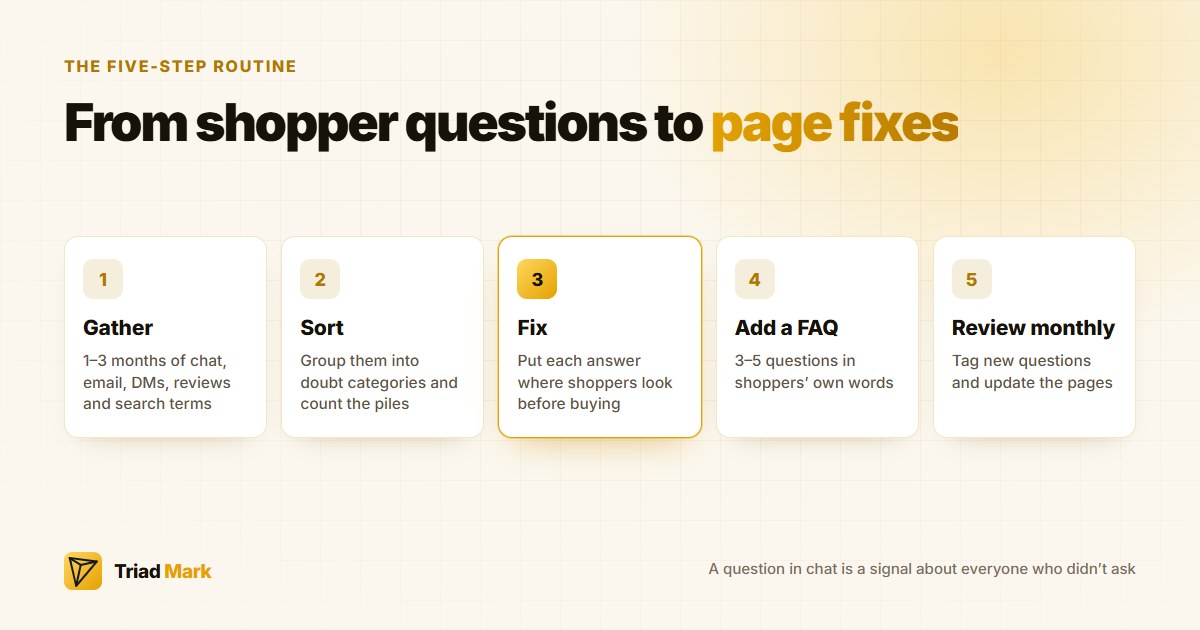
Step 1: Gather the questions
Pull together everything shoppers have asked over the past one to three months. Depending on your setup, that might include:
- Live chat and AI chat transcripts — Shopify Inbox, any third-party live chat app, or an AI chatbot will all keep a conversation history.
- Support emails — Pre-sale questions arrive through contact pages more often than merchants expect.
- Social DMs — Instagram and Facebook messages carry plenty of “is this still available?” and “do you ship to…?”
- Product reviews and Q&A sections — Public questions on product pages count.
- On-site search terms — What shoppers search for on your store shows what they expected to find and couldn’t.
No special software needed. A spreadsheet with three columns does the job: the question, the product it relates to, and the date.
If your store gets a high volume of chats, take a sample of 100 to 200 conversations. That’s usually enough for the patterns to become visible.
Step 2: Sort questions into doubt categories
Once you have the list, group similar questions together. In most Shopify stores, pre-sale questions fall into the same handful of categories.
Fit and sizing
“Does this run small?” “I’m 170cm, which size should I get?” “What are the measurements in centimetres?”
Most common in apparel, footwear, and anything that needs to fit a space, like furniture or car accessories.
Compatibility
“Will this fit my iPhone 15?” “Does this work with a Bosch dishwasher?” “Is this refill compatible with the older model?”
Comes up constantly for electronics, spare parts, and consumables.
Materials and specifications
“Is this real leather?” “Is it dishwasher safe?” “What’s the fabric weight?” “Does it contain nuts?”
When these questions show up, the description is missing the facts shoppers actually check before buying.
Shipping and delivery
“How long to Perth?” “Do you ship to New Zealand?” “Will it arrive before Christmas?”
Often general rather than product-specific, but shoppers need the answer before they add to cart.
Returns and guarantees
“Can I return it if it doesn’t fit?” “Who pays for return postage?” “What’s the warranty?”
Trust questions. The shopper is asking what happens if this goes wrong before committing.
Stock and variants
“When will the blue one be back?” “Can I pre-order?” “Is the black one the same price?”
Trust and legitimacy
“Are you a real company?” “Where are you based?” “Is this the genuine product?”
Especially common on newer stores and higher-priced items.
Count how many questions fall into each category, both overall and by product. The biggest piles show where to start.
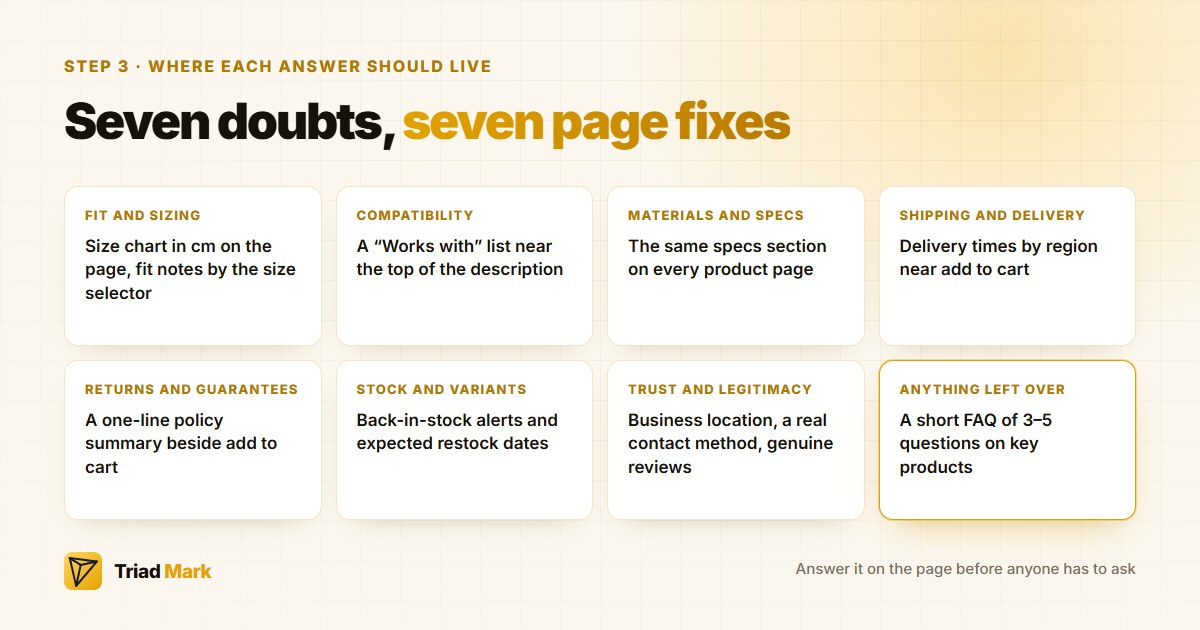
Step 3: Turn each doubt into a page fix
For each common question, the goal is simple: find where on the product page that answer should live so shoppers see it before they ever need to ask.
Fit and sizing: Add a size chart in centimetres directly on the product page, not buried in a footer link. Include model measurements and what size they’re wearing. If a product runs small or large, say so plainly near the size selector — not in the description three paragraphs down.
Compatibility: A “Works with” or “Fits” list near the top of the description clears this up fast. If compatibility is complicated, a short table of model numbers is easier to scan than a paragraph.
Materials and specifications: Create a consistent specs section across every product — materials, dimensions, weight, care instructions, what’s in the box. Shopify metafields make it straightforward to surface this information in the same spot on every page.
Shipping and delivery: Show estimated delivery times by region close to the add-to-cart button. If you have a free shipping threshold, state it near the price. Before peak periods, add a clear cut-off date for Christmas delivery.
Returns and guarantees: Summarise your policy in one or two lines beside the add-to-cart button — something like “Free returns within 30 days” or “Change-of-mind returns within 14 days, buyer pays postage” — and link to the full policy. If you sell to Australian customers, the consumer guarantees under Australian Consumer Law apply regardless of your change-of-mind policy, so make sure the wording doesn’t imply otherwise.
Stock and variants: Use “notify me when back in stock” options and show expected restock dates where you know them. Variant prices and images should update clearly when shoppers switch between options.
Trust and legitimacy: Add your business location, a real contact method, and genuine reviews to the product page. A short “About us” line can carry weight for newer stores.
Step 4: Add a short FAQ to your key product pages
Some questions don’t fit neatly into the description. A short FAQ block of three to five questions on each key product page handles those.
Use shoppers’ own wording where you can. If people keep asking “Will it fit a queen bed?”, that exact phrase works better as a heading than “Compatibility information.”
Keep answers short and specific. “Please check the size chart” leaves the doubt intact. “Yes, it fits a standard Australian queen mattress (153cm x 203cm)” removes it.
Step 5: Use chat to keep the list current
New products, seasonal changes, and new shipping arrangements all generate new questions. A simple monthly routine keeps the pages current:
- Export or read through last month’s chat questions.
- Tag any that are new or growing.
- Update the relevant product pages, FAQs, or shipping information.
- Check whether questions on pages you’ve already fixed have dropped off.
An AI chatbot trained on your store’s content helps here too. It handles routine questions in the meantime, and its conversation history becomes the ongoing list of gaps to address. We’ve written more about this in our guide to AI chatbots for ecommerce stores.
Every question that keeps coming up should eventually be answered on the page itself. That’s the whole idea.
How to tell if it’s working
A direct line from one page fix to more sales is hard to draw because other things change at the same time. A few signals are worth watching instead:
- Fewer repeat questions. If sizing questions for a product drop after you add a proper size chart, the fix is doing its job.
- Product page conversion rate. Compare the add-to-cart and purchase rate for fixed pages over a few weeks, keeping seasonality in mind.
- Returns reasons. Fewer “wrong size” or “not as described” returns means your pages are setting accurate expectations.
- Support workload. Fewer repetitive pre-sale questions frees up time for conversations that actually need a person.
A quick-start checklist
- Collect one to three months of chat, email, DM, and review questions
- Sort them into categories: sizing, compatibility, specs, shipping, returns, stock, trust
- Count which categories and products generate the most questions
- Fix the top three doubts on your best-selling product pages first
- Add a short FAQ to key products using shoppers’ own words
- Put shipping times and a one-line returns summary near the add-to-cart button
- Review new chat questions monthly and keep updating
Last Word
Your shoppers are already telling you what’s wrong with your product pages. They’re doing it in chat, one question at a time.
Collect those questions, sort them by the doubt each one represents, and answer them on the page before anyone has to ask. No redesign required. No expensive tool. Just read what shoppers are already sending you and act on it.
About the author: The ZoeyAI team builds AI website chat for small businesses and online stores, helping them answer customer questions around the clock and capture enquiries.