
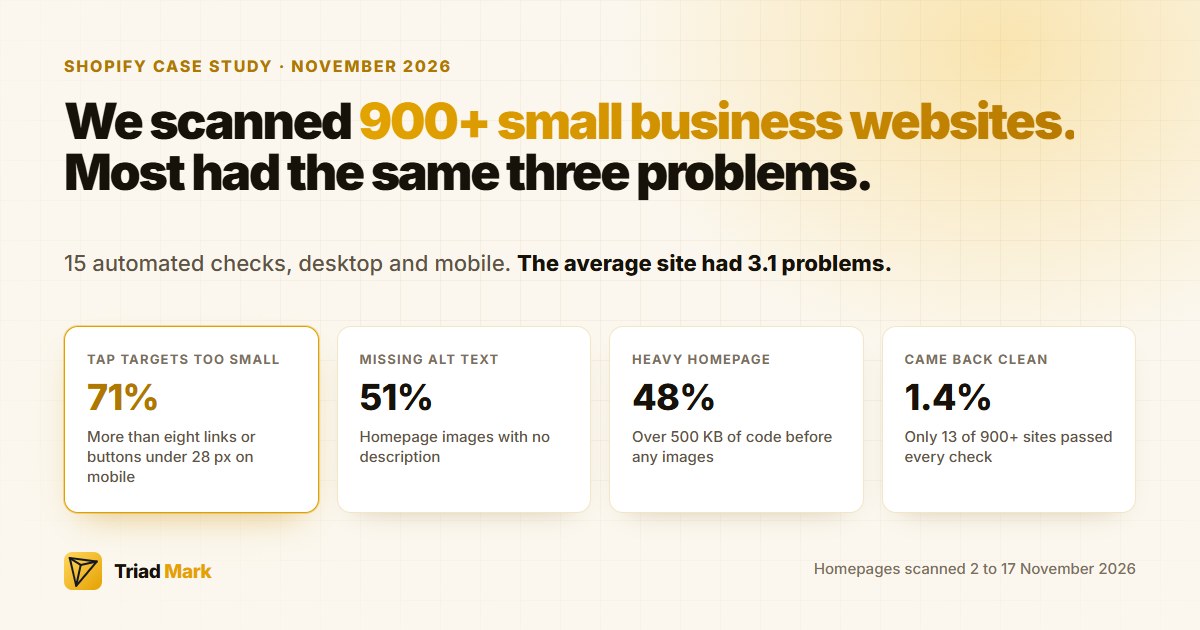
In our Shopify case study, 71% had buttons too small to tap on a phone. 51% had no alt text on their images. 48% had a homepage over 500 KB of code before a single image loaded.
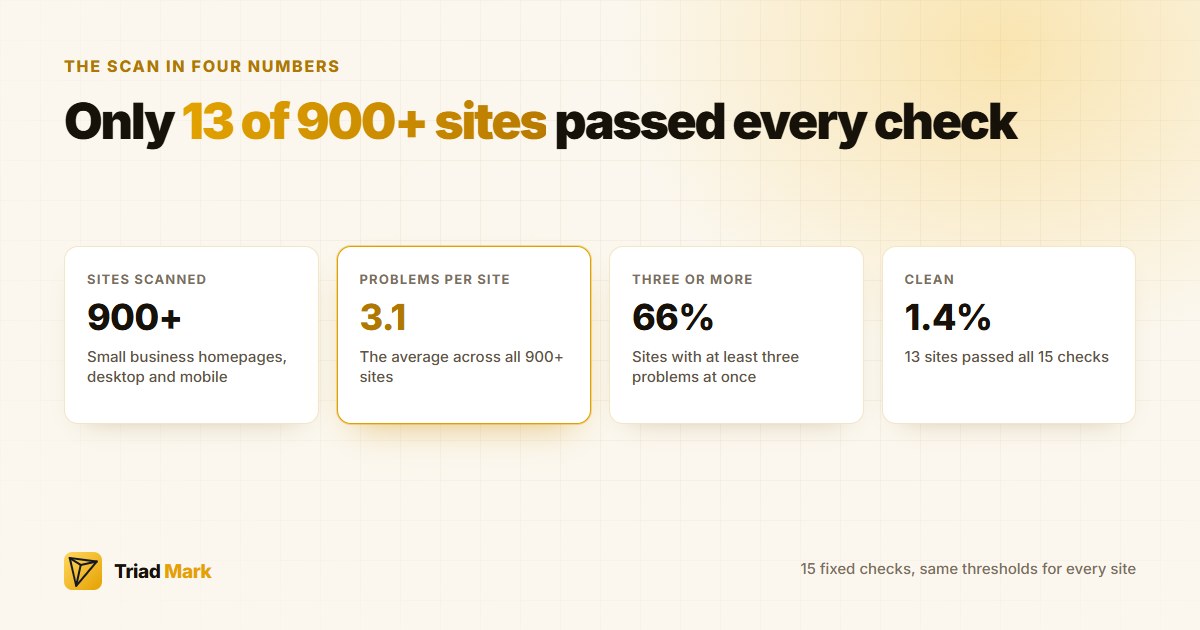
We ran 900+ small business homepages through our own scanner between 2 and 17 November 2026, once on desktop and once on mobile. The average site had 3.1 problems. Only 13 sites (1.4%) came back clean.
Below: the full numbers, what each problem costs you, how Shopify stacks up against WooCommerce, and exactly how we ran the test.
Key findings of Our Shopify Case Study
- 71% had more than eight links or buttons too small to tap on a phone.
- 51% had images with no alt text on the homepage.
- 48% had a homepage over 500 KB of code before any images loaded.
- 29% had no social share image. Links shared on Facebook, LinkedIn or WhatsApp showed a blank preview.
- 20% had no H1 on the homepage. 14% had no meta description.
- 66% had three or more problems at once.
The full results: 15 checks, 900+ sites
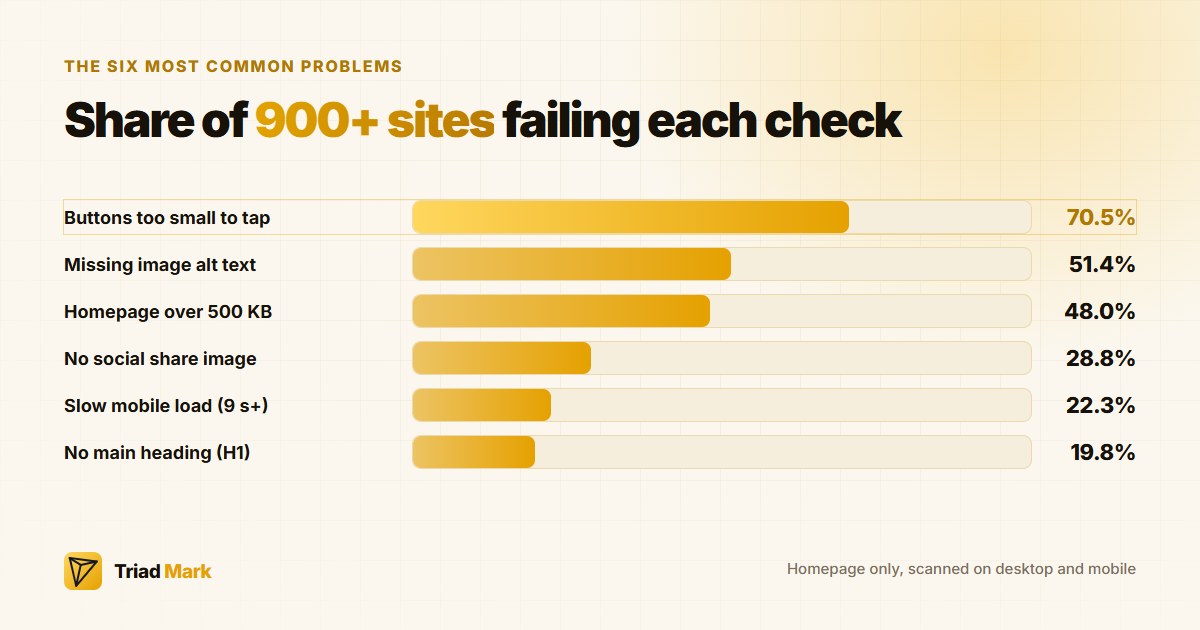
Every site got the same 15 checks. Here's how many failed each one.
| Problem | Sites affected | Share |
|---|---|---|
| Buttons and links too small to tap on mobile | 658 | 70.5% |
| Missing image alt text | 480 | 51.4% |
| Very heavy homepage (over 500 KB of code) | 448 | 48.0% |
| No social share image | 269 | 28.8% |
| Slow to load on mobile (over 9 seconds) | 208 | 22.3% |
| No main heading (H1) | 185 | 19.8% |
| Slow server response (over 1.5 seconds) | 179 | 19.2% |
| No structured data | 133 | 14.3% |
| No meta description | 130 | 13.9% |
| Insecure content on a secure page | 95 | 10.2% |
| Out-of-date copyright year in the footer | 48 | 5.1% |
| Broken images | 37 | 4.0% |
| More than six failing requests | 37 | 4.0% |
| Page scrolls sideways on phones | 10 | 1.1% |
| No mobile viewport tag | 1 | 0.1% |
1. Buttons and links too small to tap (71%)
We flagged a site when more than eight links or buttons on mobile were under 28 pixels tall or wide.
Small targets make people miss, tap the wrong thing, or give up.
The usual culprits: footer menus, social icons, and text links packed too close together.
Fix it: add more padding to buttons and menu links on mobile, and space out header and footer icons. Aim for 44 to 48 pixels. That's comfortable for most fingers.
2. Missing image alt text (51%)
In our case study for Shopify app store, we flagged a site when at least four homepage images, and more than a quarter of the total, had no alt text. Alt text tells Google what an image shows.
It's also read aloud to visitors using screen readers. Skip it, and your product and banner images do nothing for search.
Fix it: write a short, plain description for each image. "Brown leather crossbody bag with gold buckle" works. On Shopify, our AI Alt Image Text SEO app fills these in for every product image in one click.
3. Very heavy homepages (48%)
Almost half the homepages carried over 500 KB of code before a single image loaded. Page builders, apps, and widgets each add their own scripts and styles.
Inline data blocks pile on top.
Fix it: remove apps and plugins you don't use. Check what each remaining one adds to the page. Keep the homepage to sections that actually help people buy.
4. No social share image (29%)
No share image set means a link posted on social or in a chat shows a blank or random preview. People are less likely to click it.
Fix it: set a default share image (1200 x 630 pixels) site-wide, and a specific one for key pages like your homepage and best-selling products.
5. Slow mobile loading and slow servers (22% and 19%)
One site in five took over nine seconds to load on our phone test. A similar share took over 1.5 seconds just to start responding.
Read these with care:
- all tests ran from one location,
- far from many of these servers, so real visitors near the server see faster times.
The useful comparison is site against site, not site against Google's speed targets.
Fix it: compress and resize images, cut unused apps and scripts, and pick hosting close to your customers. Our guide to getting a Shopify store ready for peak traffic covers how to test speed properly.
6. Missing SEO basics: H1, meta description, structured data (14-20%)
- One site in five had no H1 on the homepage, so search engines got no clear signal of what the page is about.
- One in seven had no meta description, so Google writes its own snippet instead of your pitch.
- One in seven had no structured data, the thing that lets Google show prices and ratings in results.
Fix it: give every page one H1 that says what you sell. Write a meta description around 150 characters with a reason to click. Add product and organisation structured data.
Most modern themes already include it, so check it hasn't been stripped out.
7. Small things that make a site look abandoned (4-10%)
10% loaded some files over plain http on a secure https page, which can trigger browser warnings.
5% still showed a copyright year of 2024 or earlier.
4% had broken images on the homepage.
None of this takes long to fix. All of it makes a business look less active than it is.
Shopify vs WooCommerce: who fails where
89 sites ran on Shopify, 379 on WooCommerce or WordPress. The rest used Squarespace, Wix, other platforms, or custom builds.
In our case study fro Shopify apps, we left Squarespace and Wix out of this comparison. Their samples were too small.
| Problem | Shopify (89 sites) | WooCommerce / WordPress (379 sites) |
|---|---|---|
| Buttons too small to tap | 73% | 71% |
| Missing image alt text | 56% | 53% |
| Very heavy homepage | 65% | 22% |
| Slow to load on mobile | 36% | 11% |
| Slow server response | 6% | 41% |
| No social share image | 21% | 37% |
| No main heading (H1) | 16% | 27% |
| No meta description | 8% | 19% |
| Median mobile load time | 7.2 s | 4.2 s |
The two platforms fail in different places.
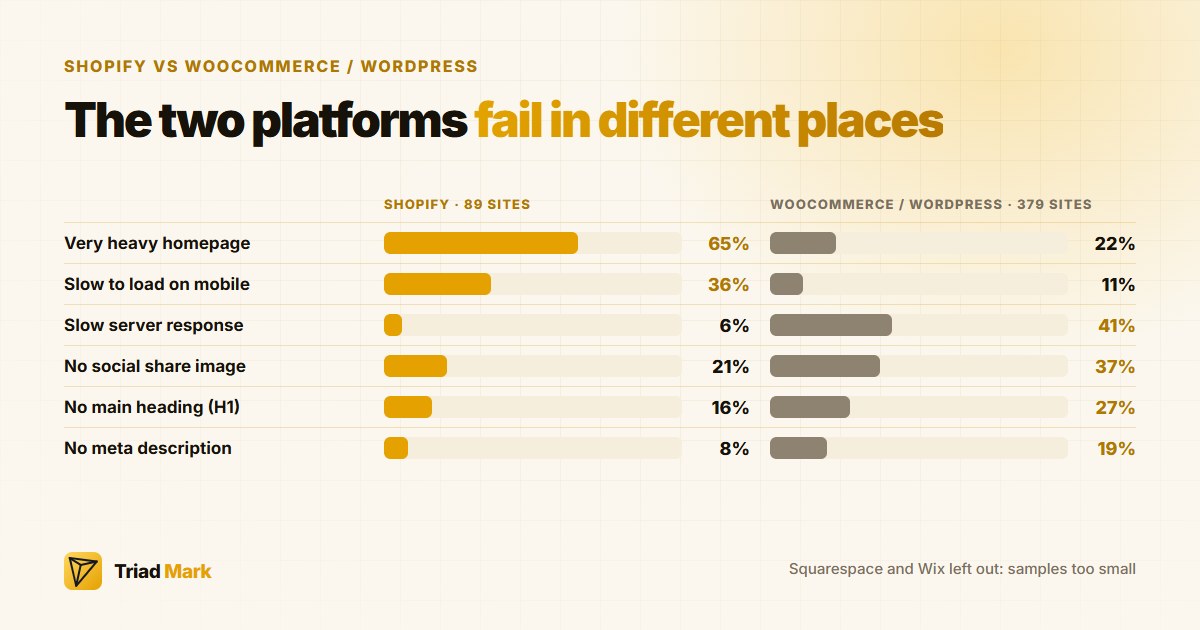
- Shopify servers respond fast. Only 6% were slow to respond, against 41% on WordPress. Shopify sites were also more likely to have SEO basics like meta descriptions in place.
- Shopify homepages were heavier and slower to finish loading. 65% carried over 500 KB of code, against 22% on WordPress. Apps, theme sections, and embedded data add the weight, so the slowdown happens in the browser, not the server.
- WordPress sites missed SEO basics more often. H1 headings, meta descriptions, share images, all more likely to be missing. They were also far more likely to run slow servers. That points to cheap shared hosting and missing SEO plugins.
- Alt text and tap targets were a problem everywhere. Platform made almost no difference to either.
If you're on Shopify, the biggest gains come from removing unused apps and trimming the homepage.
If you're on WordPress, start with hosting and the SEO basics. Thinking about switching platforms?
Our Shopify migration service keeps your URLs and rankings with 301 redirects.
Shopify Case Study: How We Ran The Test
- Sites: 900+ small business websites found while researching businesses that advertise online, mostly in Australia, South Africa, New Zealand, and on .com domains. Not a random sample of the web. Treat the figures as a guide, not a census.
- What we checked: the homepage only, loaded once on a 1440-pixel desktop screen and once on a 390-pixel phone screen, using an automated Chrome browser.
- Rules: 15 fixed checks, listed in the table above, same thresholds for every site. No manual scoring.
- Platforms: detected from each homepage's code, for example Shopify's CDN or WordPress file paths.
- Limits: all tests ran from a single location, so load times run higher than local visitors would see. One page isn't a whole site. Other pages may carry problems we didn't test for.
- Privacy: we don't name any site. All figures are totals.
Check Your Own Site In 10 Seconds
You don't have to guess which of these problems your site has. Our free Shopify store audit runs 55+ checks across speed, SEO, products, checkout, and trust. This free tool hands you a ranked list of what to fix first. No signup needed.
If the audit turns up broken links or 404 pages, our AI Broken Link Manager Shopify app finds and fixes them with 301 redirects.
FAQs about common Shopify website problems
What's the most common website problem for small businesses?
In our scan of 900+ sites, the most common problem was buttons and links too small to tap on a phone. It hit 71% of sites. Missing image alt text came second at 51%.
How many problems does a typical small business website have?
The average site had 3.1 problems. 66% had three or more. Only 1.4% passed every check.
Is Shopify better than WordPress?
Neither wins across the board. Shopify sites had faster servers and more SEO basics in place, but heavier homepages that took longer to load on mobile. WordPress sites were lighter but more often ran slow servers and skipped headings and descriptions.
How do I check my own website for these problems?
Run a free audit, like the Triad Mark Shopify store audit. It checks speed, SEO, products, checkout, and trust in about 10 seconds. For a manual check: open your homepage on your phone, try tapping every menu link and button, and look at the title and description Google shows for your site.
Which website problems hurt SEO the most?
Slow mobile loading, a missing H1, no meta description, no structured data, and missing alt text. All of them affect how search engines read and rank a page. Slow loading and small tap targets push visitors away before they even buy.